

Accessing a Resource and Collections
Overview
Once you have your search results ready, it’s time for the fun part: looking at resources! You can easily browse through resources in a few ways. Pick what works best for you!
Exploring the Review Page and Accessing the Resources
- Hover over a the resource you are interested in and click on See Full Review or just simply click on the resource card or the resource from search.
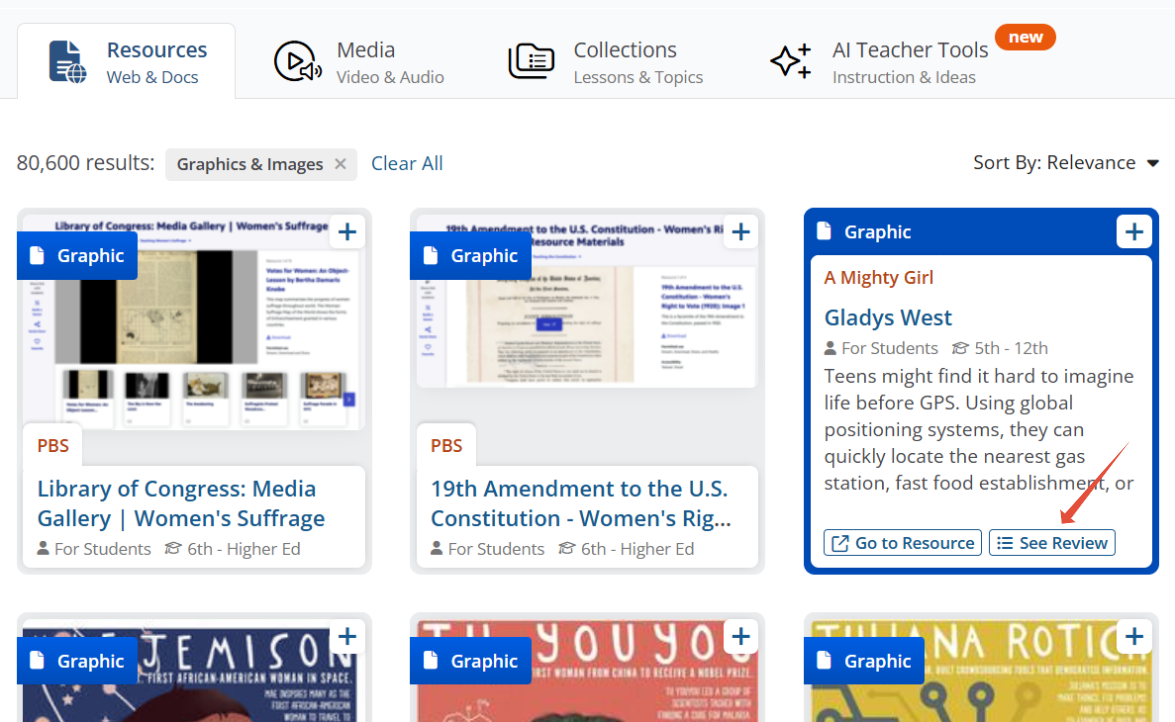
- This will open the review page of that resource, which is created to help you learn more about the resource and what it all entails, such as included material, the publisher of the resource, ways to use the resource in the classrroom, what standards it is aligned ect.
2. The review page consists of a number of details and options:
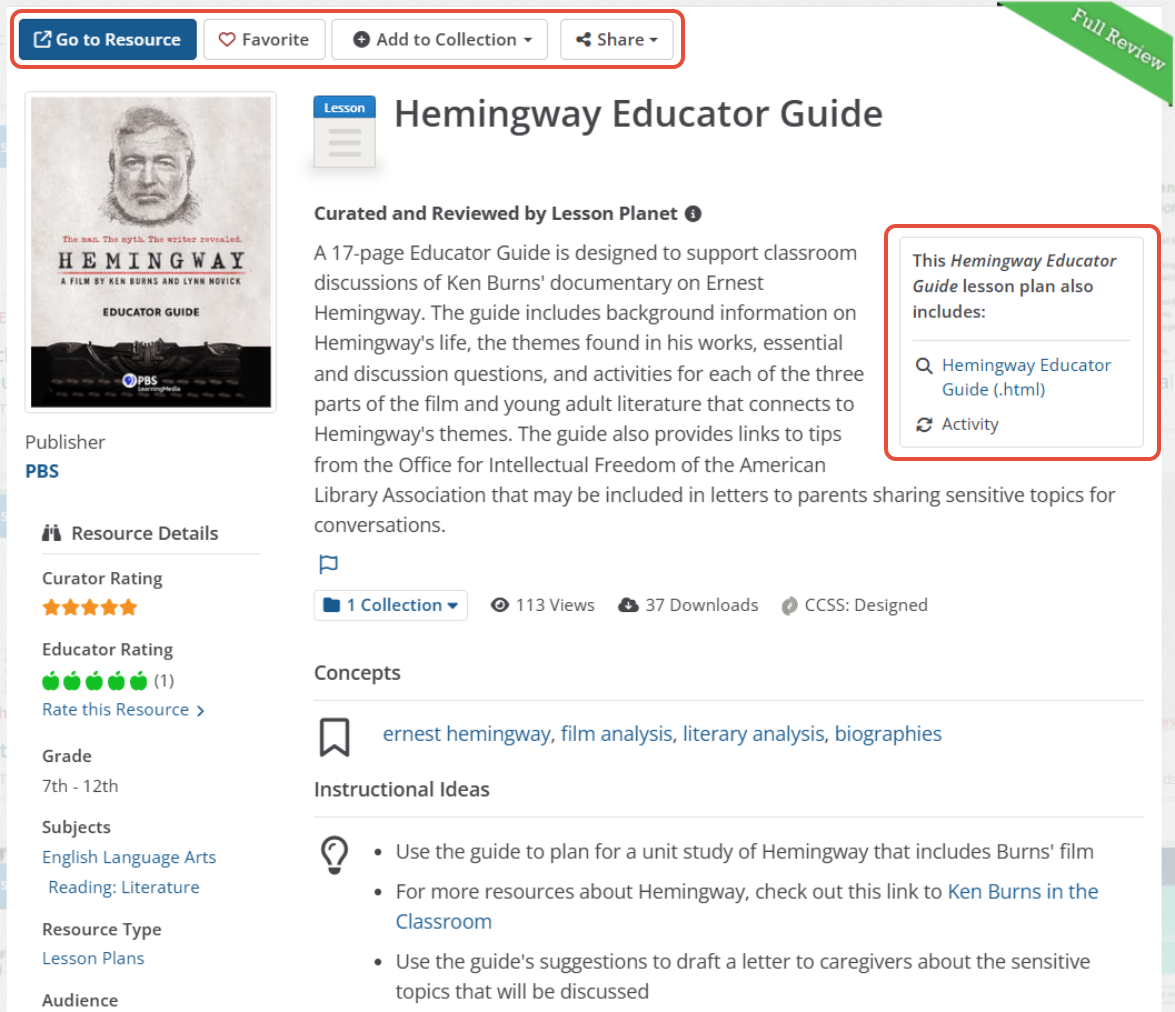
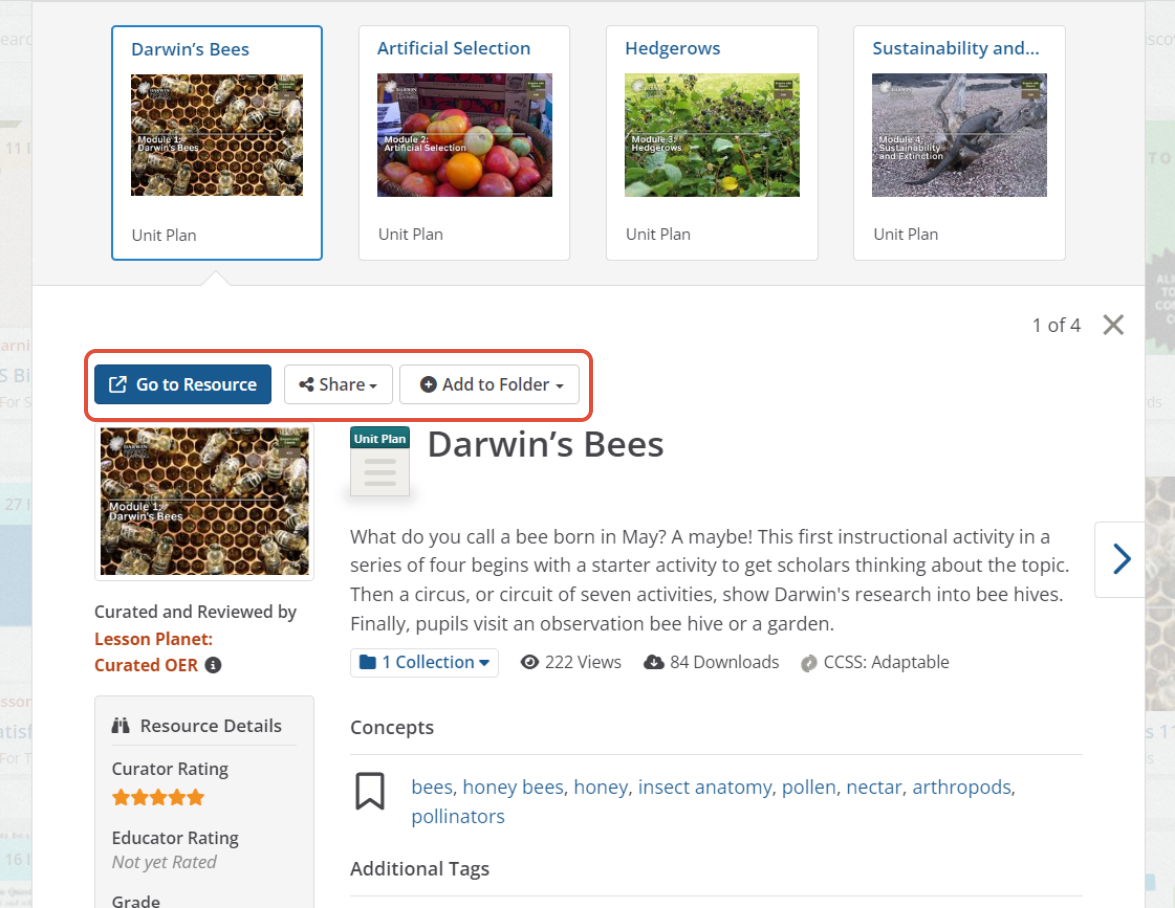
- Go to Resource: Clickiong on this button will open up/dowload in another tab.
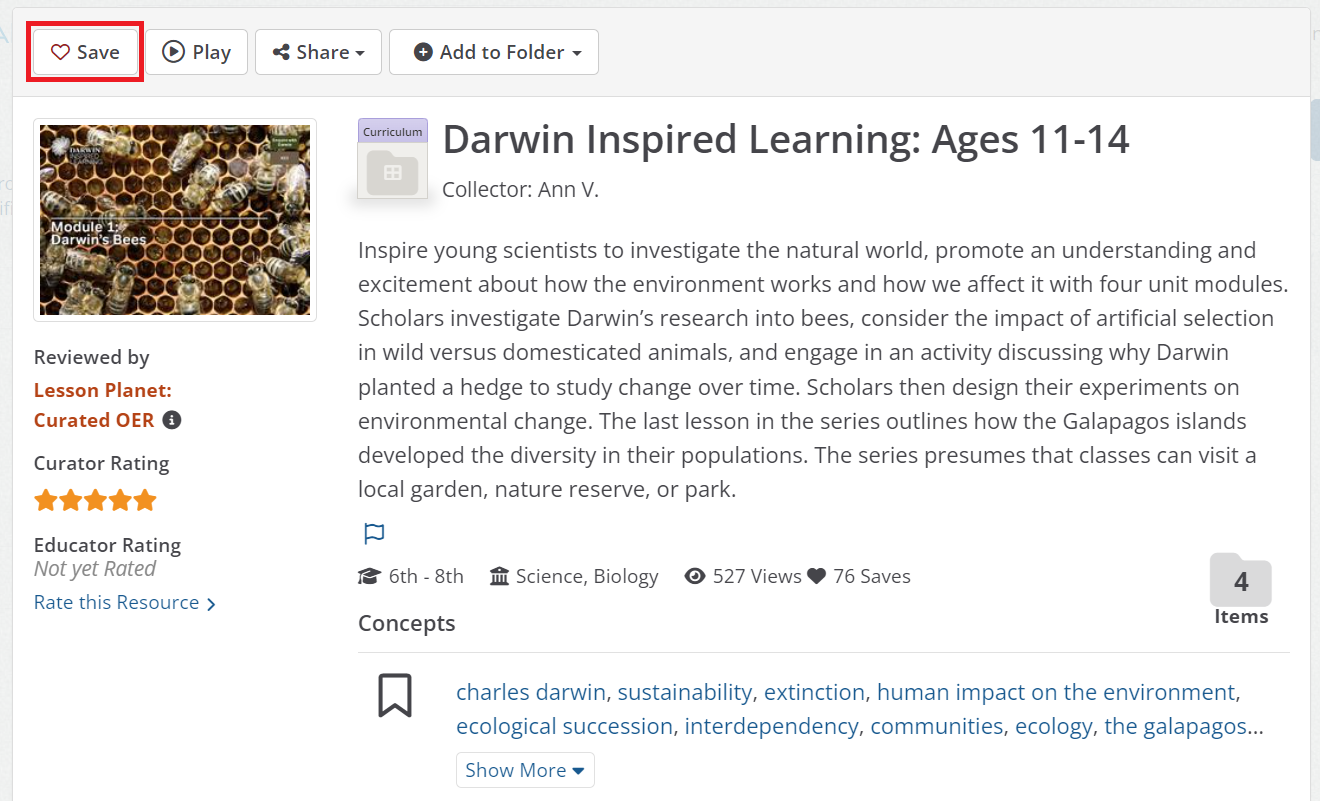
- Favorite: If you like this resource it and want to save it to your account, simply click on this button and that heart will fillin and it will automatically get saved to your Curricuum Manager/My Content.
- Add to Collection: Addding this resource to a collection will allow you to start building out your online curriculum within Lesson Planet to either assign out to your students or present it in your classroom (see the articles Build and Edit Collections in Lesson Planet to learn more about Collections)
- Share: You can share this resource out in your social media or just grabbing the link to share with a collegue.
- This "Title of Resource" lesson pla also include: This section details the resources included, such as activities, worksheets, and videos. It also provides links to these materials, as they are sometimes not present in the downloaded version of the resource from the publisher.
- Concepts: This is where we list all the concepts associate with this resource, which is a broad, deep, and fundamental idea, principle, or theory that serves as a foundational framework for understanding, organizing, and connecting facts and skills across different subjects.
- Instructional Ideas: These are suggestions we provide to help you on how to use this resources in the classrom.
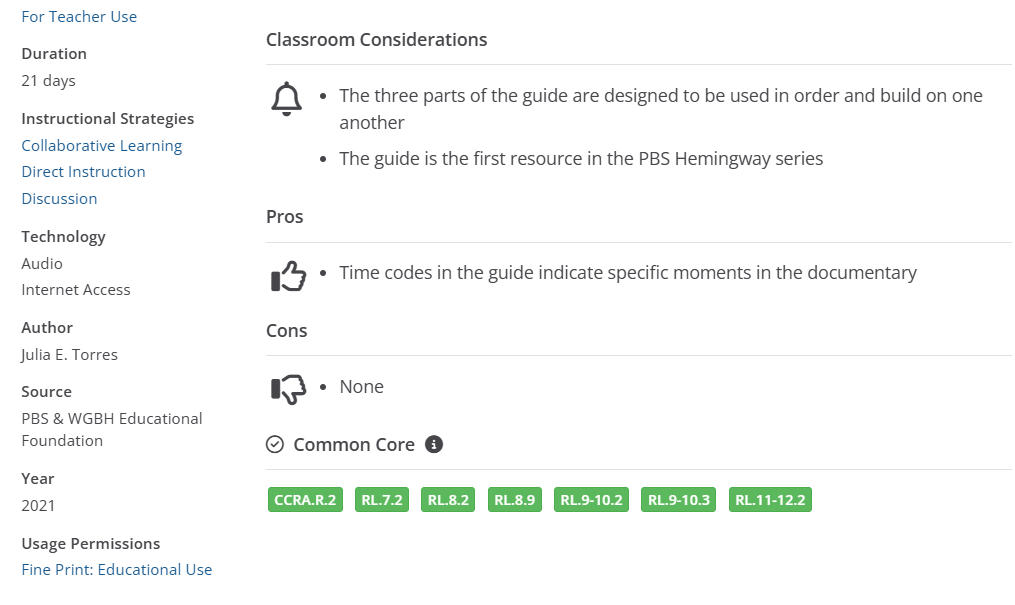
- Classroom Considerations: Things to consider before using this resource in your classroom with your students.
- Common Core: Is where we list all the Common Core Standards that are alighned with this resource
Note: The blue links are searches for other resources that are similar to the resource you are viewing. Clicking on a concept, for example, would result in seeing other resources with that same concept that resource is tagged with.
Accessing Collections
- When you are on the Collections tab, you will see a number of collections made up of multiple resources and are labled as Curriculum Set, Assesment Set, Lesson, Unit or Topic.
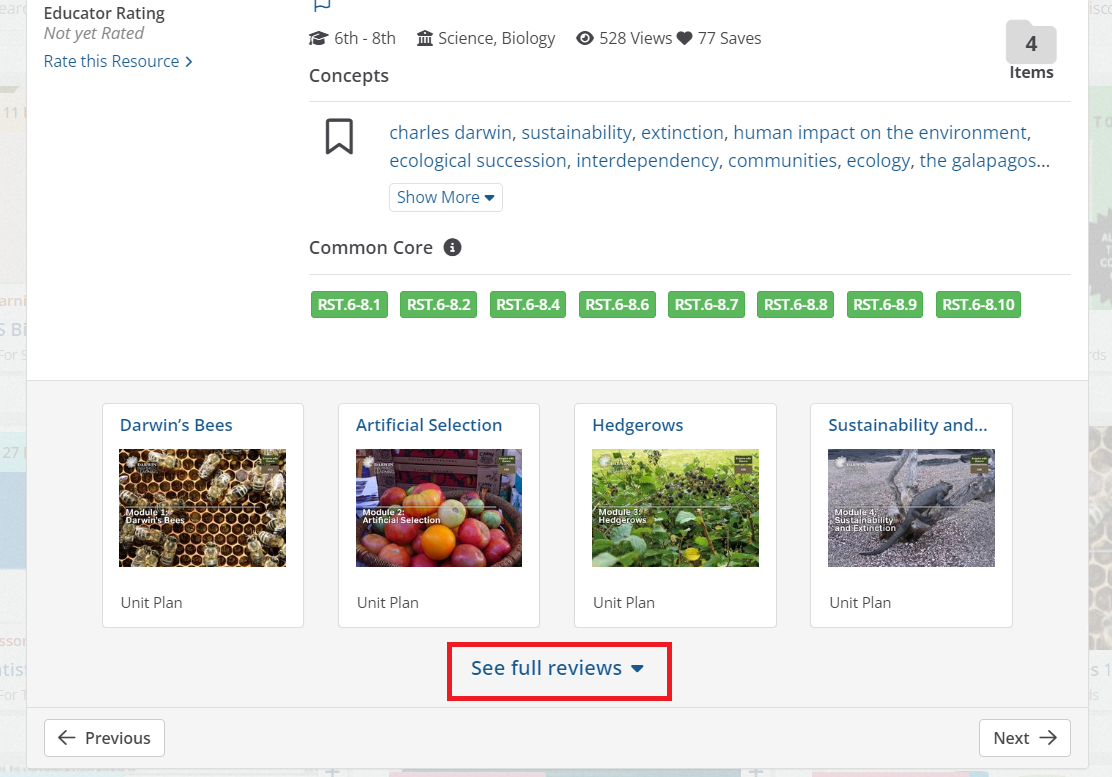
- To preview what is in the collection that you choose to select, scroll down to the bottom of the review of the collection and click on See full reviews. It will then expand it out to where you can toggle through all the resources that are housed in that one collection and each of those resource reviews will provide that "Go to Resource" button to open the resource.
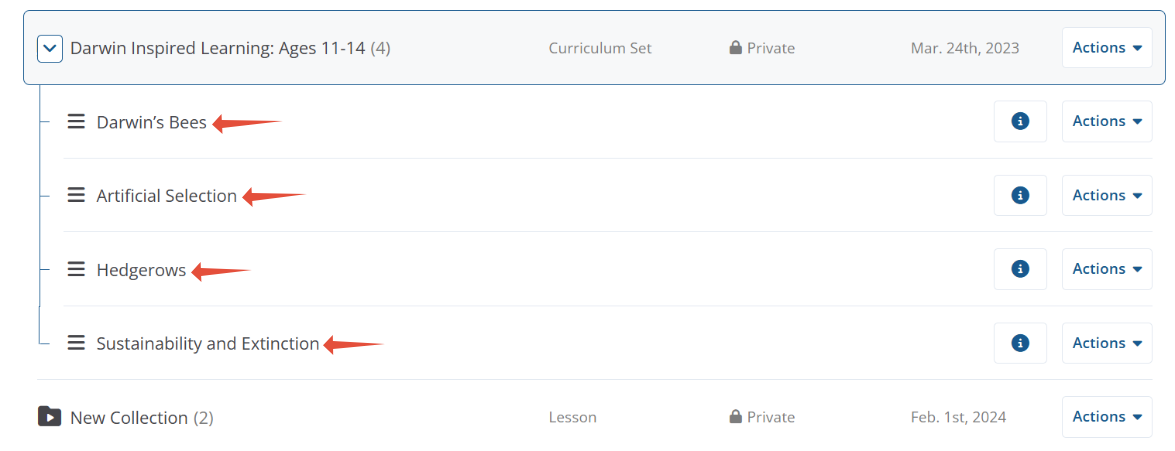
- Another way to preview and access the resources within a collection, is to save the collection to your Curriculum Manage/My Content and from that section of your account you click on the collection and then all the resources that are in that collection will be listed below. Each resource you can click on and it will link you right to the resource.
Common Questions
- Q: What if after clicking on the "Go to Resource" the link does not take me to the resource shown in the picture or the resource that matches the description in the review?
A: Click on that flag feature located at the of the description towards the top of the page to notify us of the link associated with the resource (See the article Flagging a Resource). - Q: Can I use these resources however I want in the classroom?
A: Yes, the majority of the resources that we have reviewed are ones that can be used however you want within the classroom. There are some resources that have Creative Commons usage permission (listed at the bottom of the review), which has different licensiing and permissions than Fine Print and Public Domanin permissions.
Still need help? Submit a request.